BizCare ERP

22 modules in one web ERP, sharing one set of books. Accounts, stock, purchase, sales, production, payroll, the gate and the counter, with only the modules your business needs switched on.

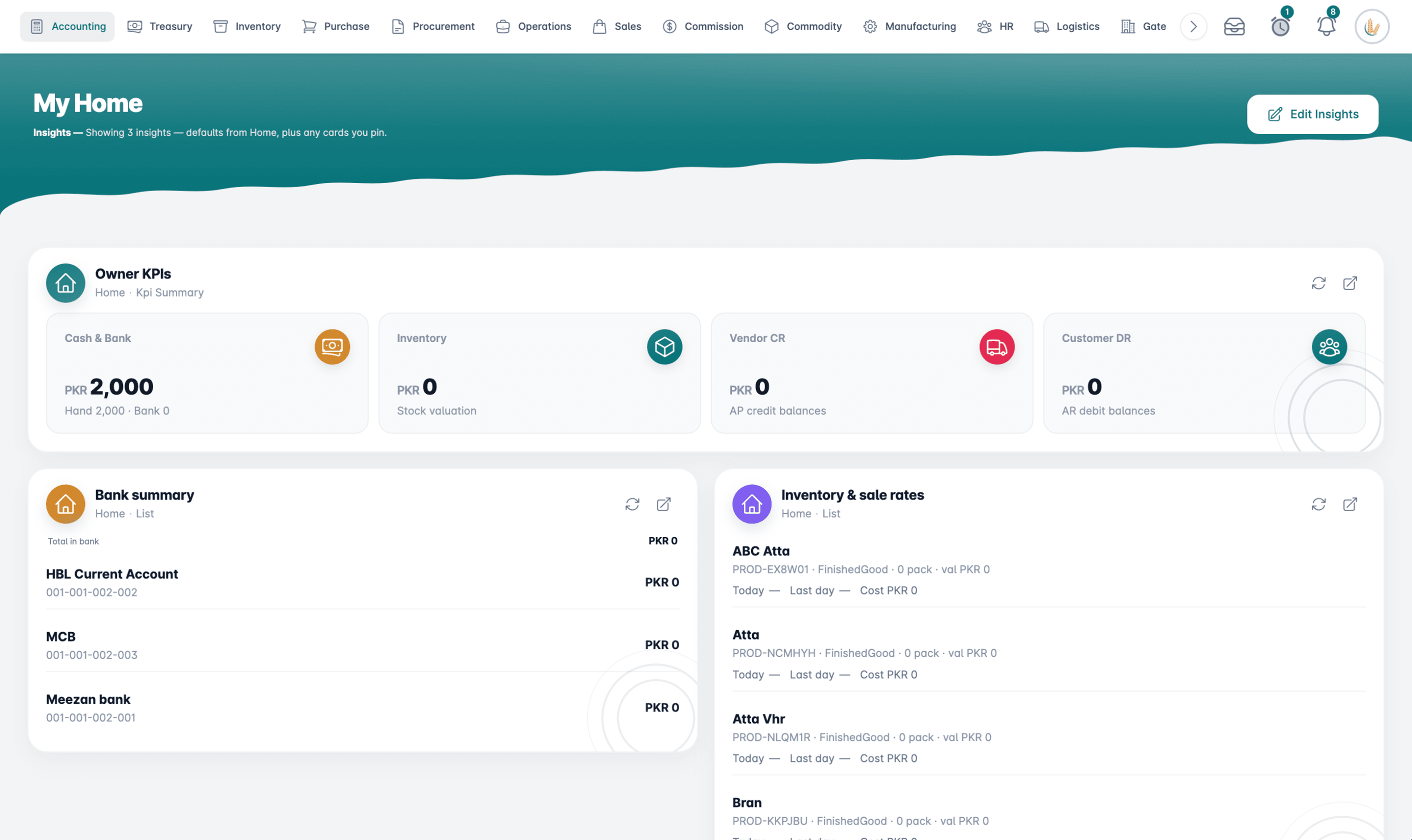
BizCare ERP in a browser: the owner's home page with cash and bank, stock, supplier and customer balances, and every module along the top
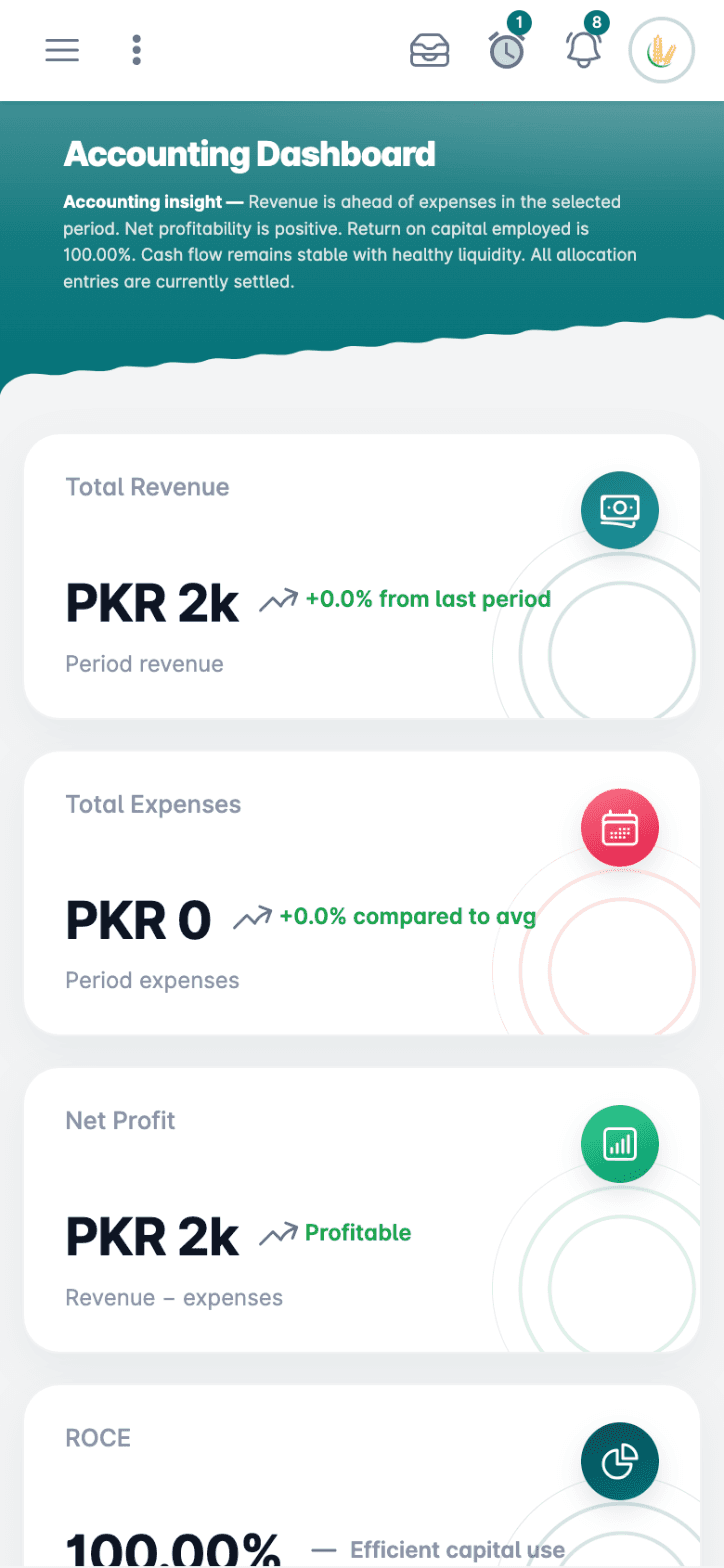
The BizCare ERP accounting dashboard on a phone, with revenue, expenses and profit

Each Module at Work

Every module opens on its own dashboard, with a short note on how things stand.

Accounting

Chart of accounts, vouchers, banking and cheques, with closings and reports.

  • Chart of accounts and opening balances
  • Received, paid, journal and expense vouchers
  • Bank accounts, cheque books and cheque printing
  • Post-dated cheques and recurring entries
  • Year closing, tax deposits and financial reports
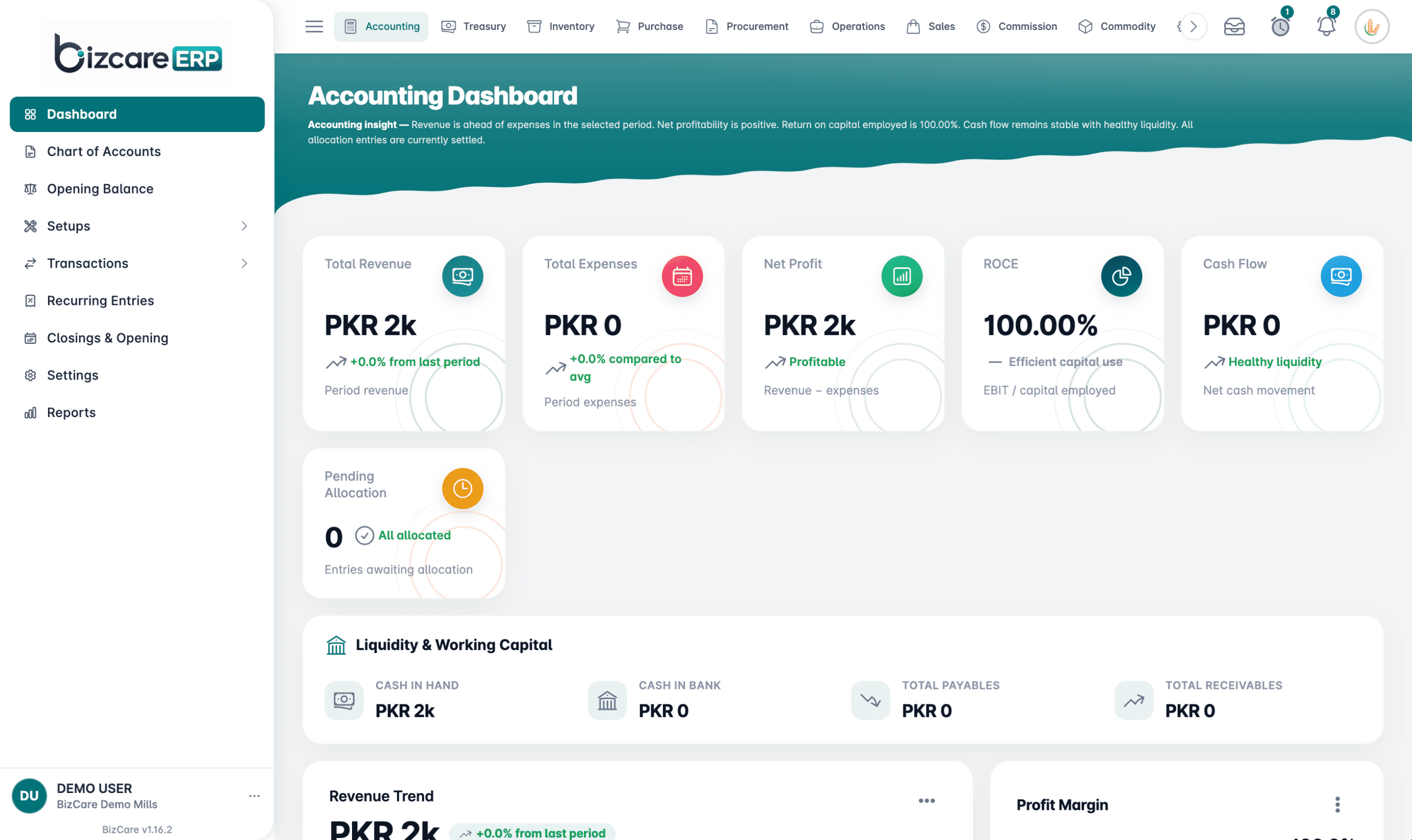
The BizCare ERP accounting dashboard, with revenue, expenses, net profit, return on capital and cash flow

Inventory

Products, warehouses and every stock movement, matched to your accounts.

  • Products, categories and attributes
  • Warehouses, material requests and stock transfers
  • Stock issues, adjustments and opening stock
  • Transfers between your own companies
  • Stock reconciled against the ledger
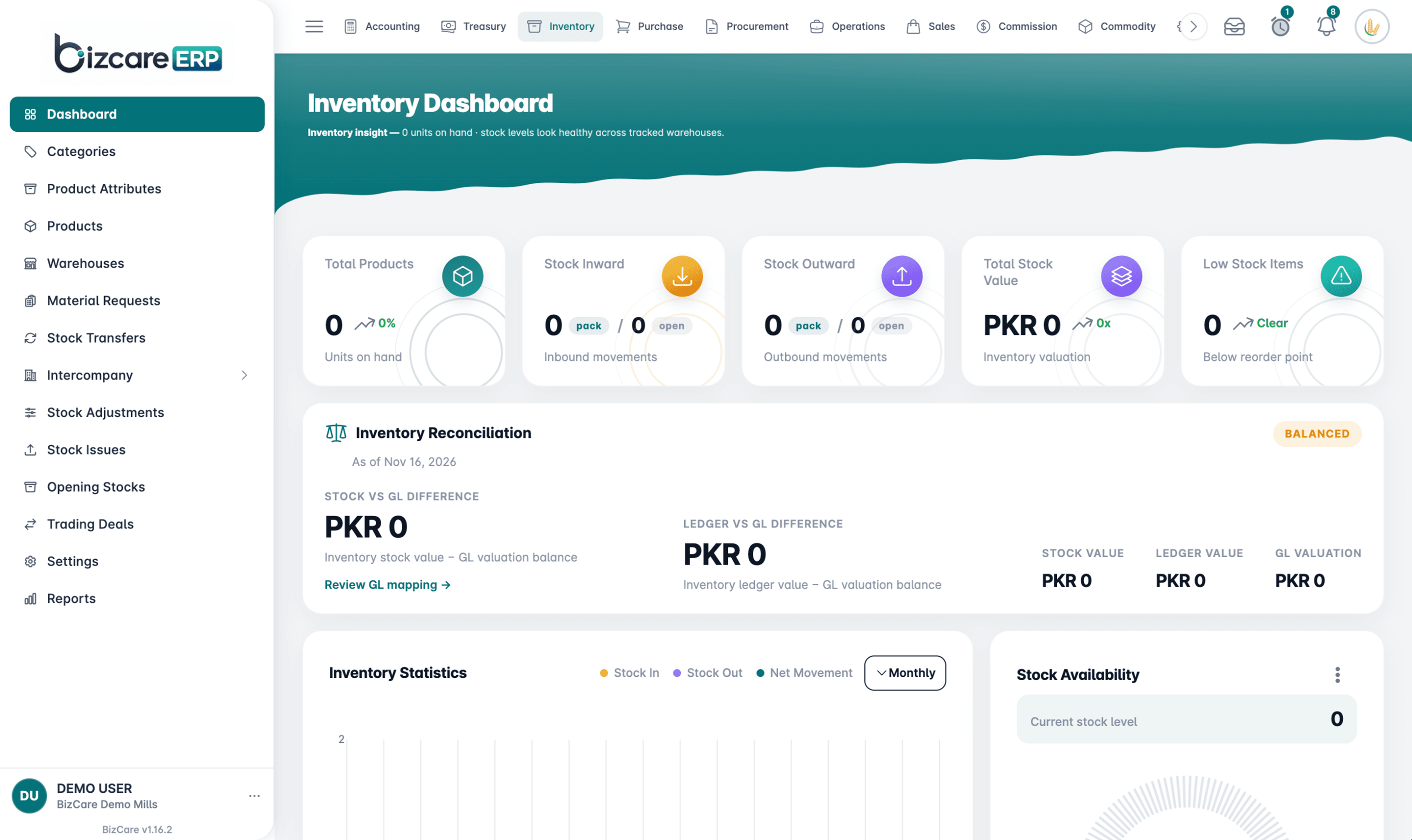
The BizCare ERP inventory dashboard, with stock in and out, stock value, low stock and reconciliation against the ledger

Manufacturing

Formulas, production batches and repacking, with yield and wastage.

  • Formulas and formula production
  • Production batches and repacking
  • Formula variance, yield and wastage
  • Work in progress and batch cost
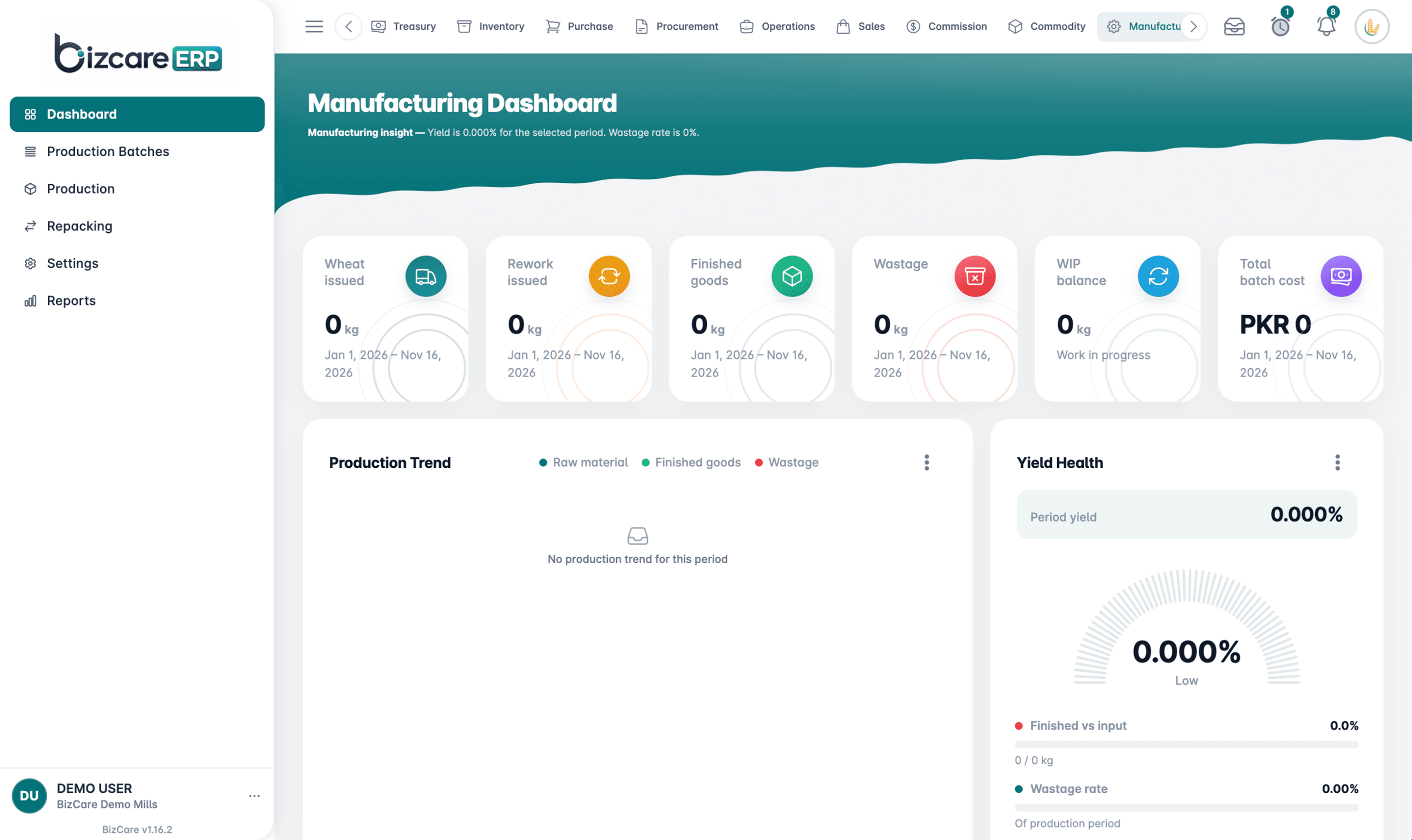
The BizCare ERP manufacturing dashboard, with wheat issued, finished goods, wastage, work in progress and yield

HR and Payroll

Employees, attendance, leave and payroll, with tax and statutory deductions.

  • Departments, designations and employees
  • Attendance, shifts and leave
  • Payroll with income tax, provident fund and EOBI
  • Loans, expense claims, hiring and exits
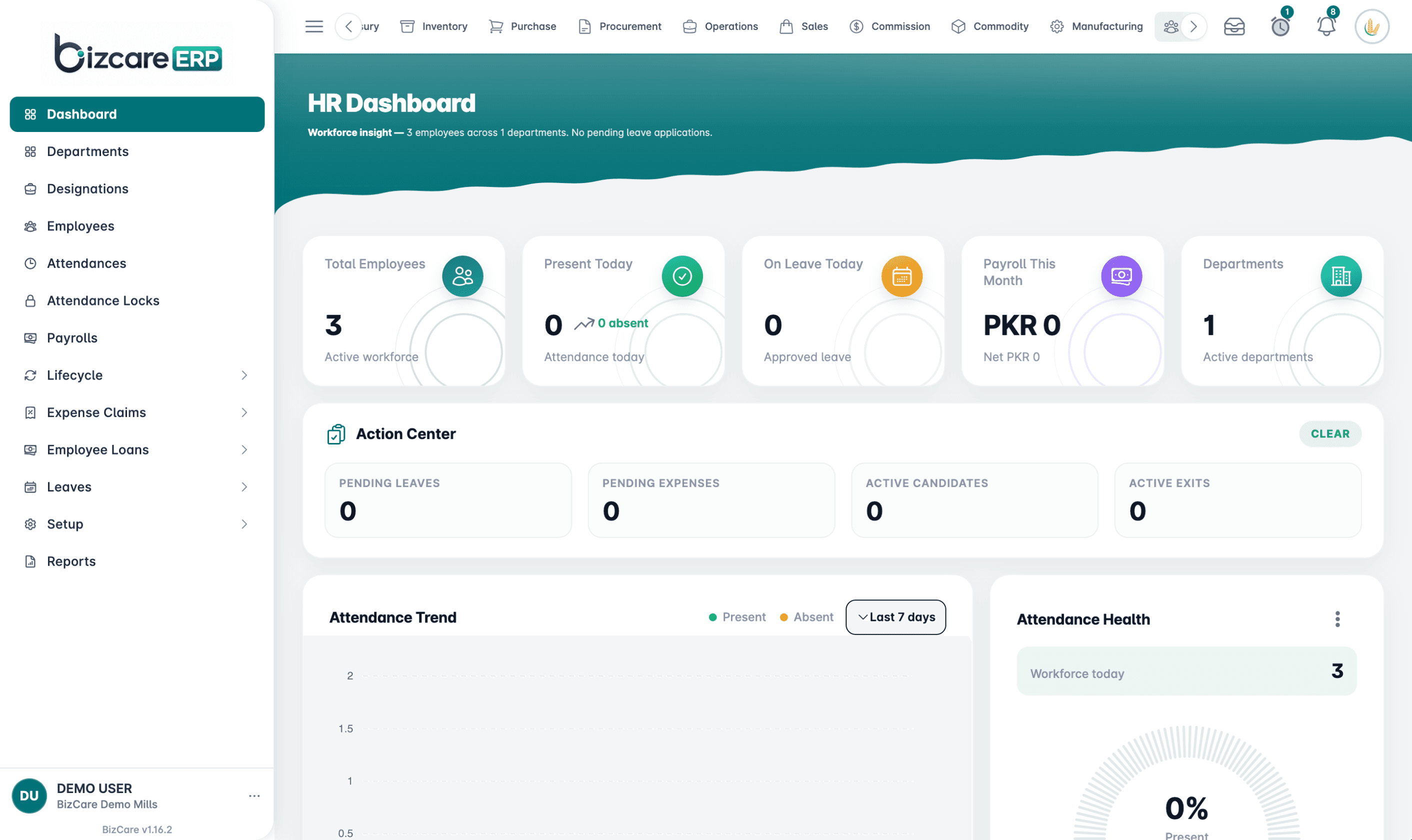
The BizCare ERP HR dashboard, with employees, attendance, leave, payroll and an action centre

Gate

Every vehicle in and out, with weighbridge weights and gate passes.

  • A live map of the mill yard
  • First and second weight, with weight variances
  • Appointments, visitors and pending inbound
  • Returnable and non-returnable gate passes
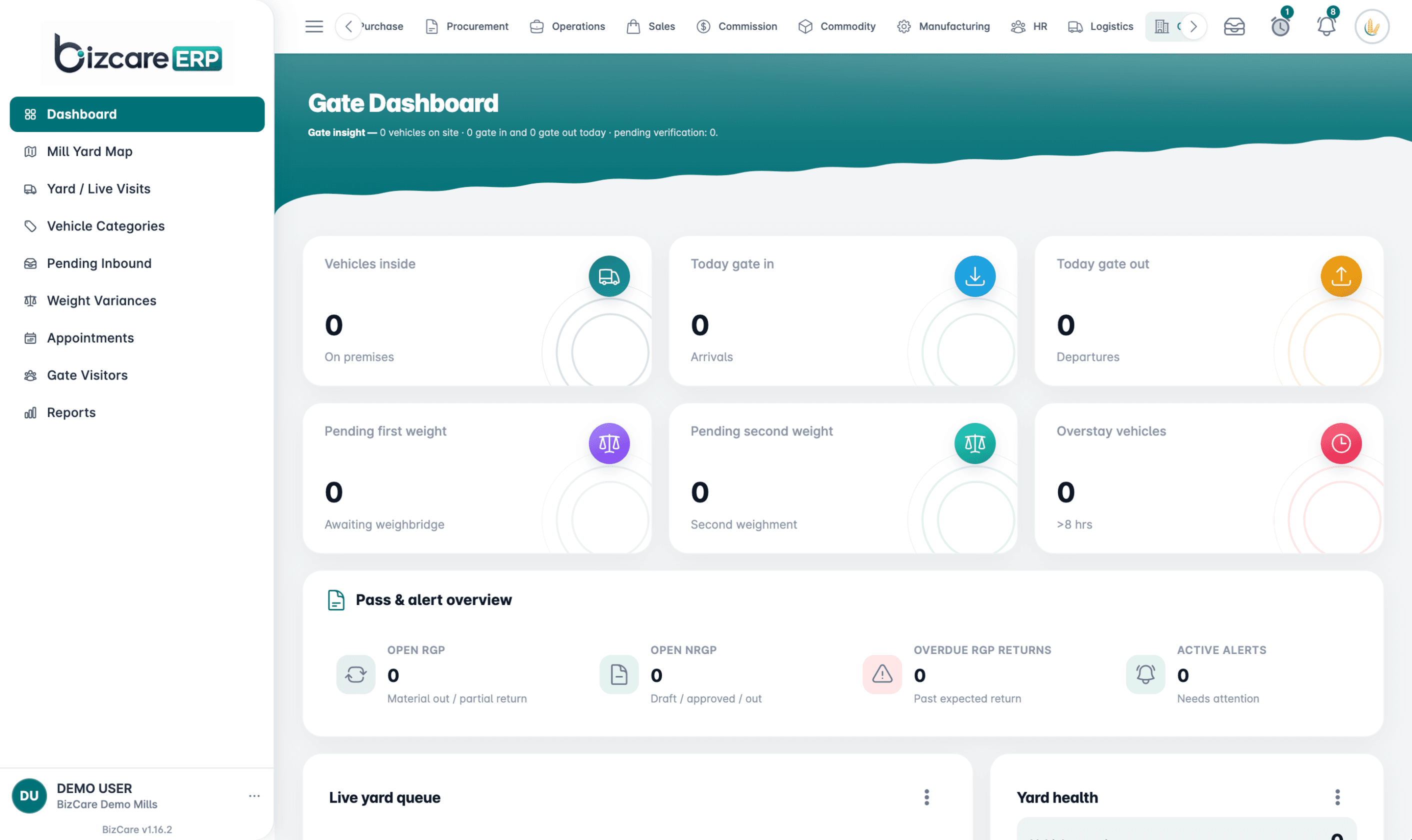
The BizCare ERP gate dashboard, with vehicles inside, gate in and out, weighbridge weights and gate passes

Point of Sale

A fast till for shops and counters, linked to FBR, that keeps selling offline.

  • Sale, return and exchange on one bill, hold and print
  • Promotions, gift cards and loyalty
  • Register close with cash counting
  • Offline sales that sync when the internet is back
  • FBR integration on every receipt
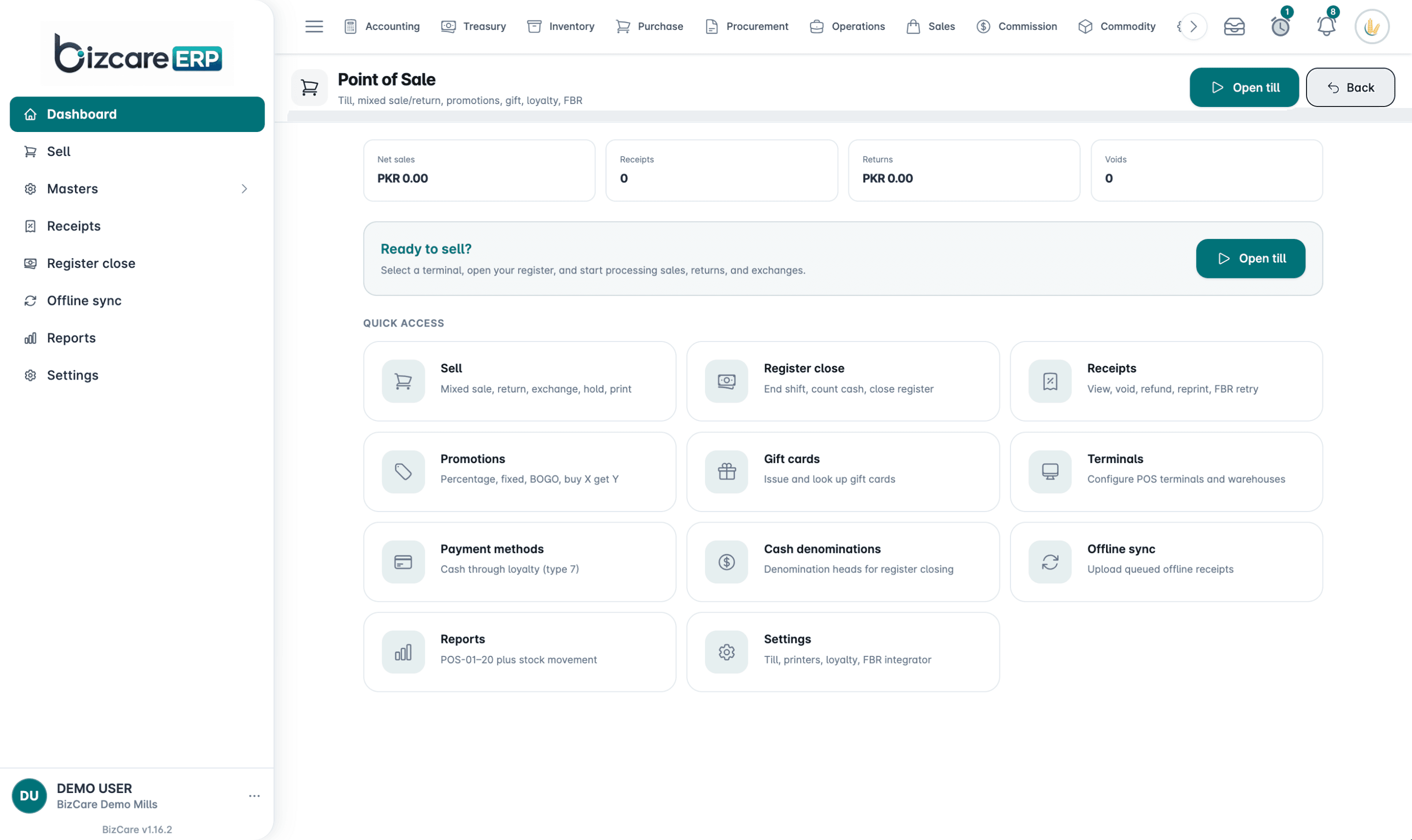
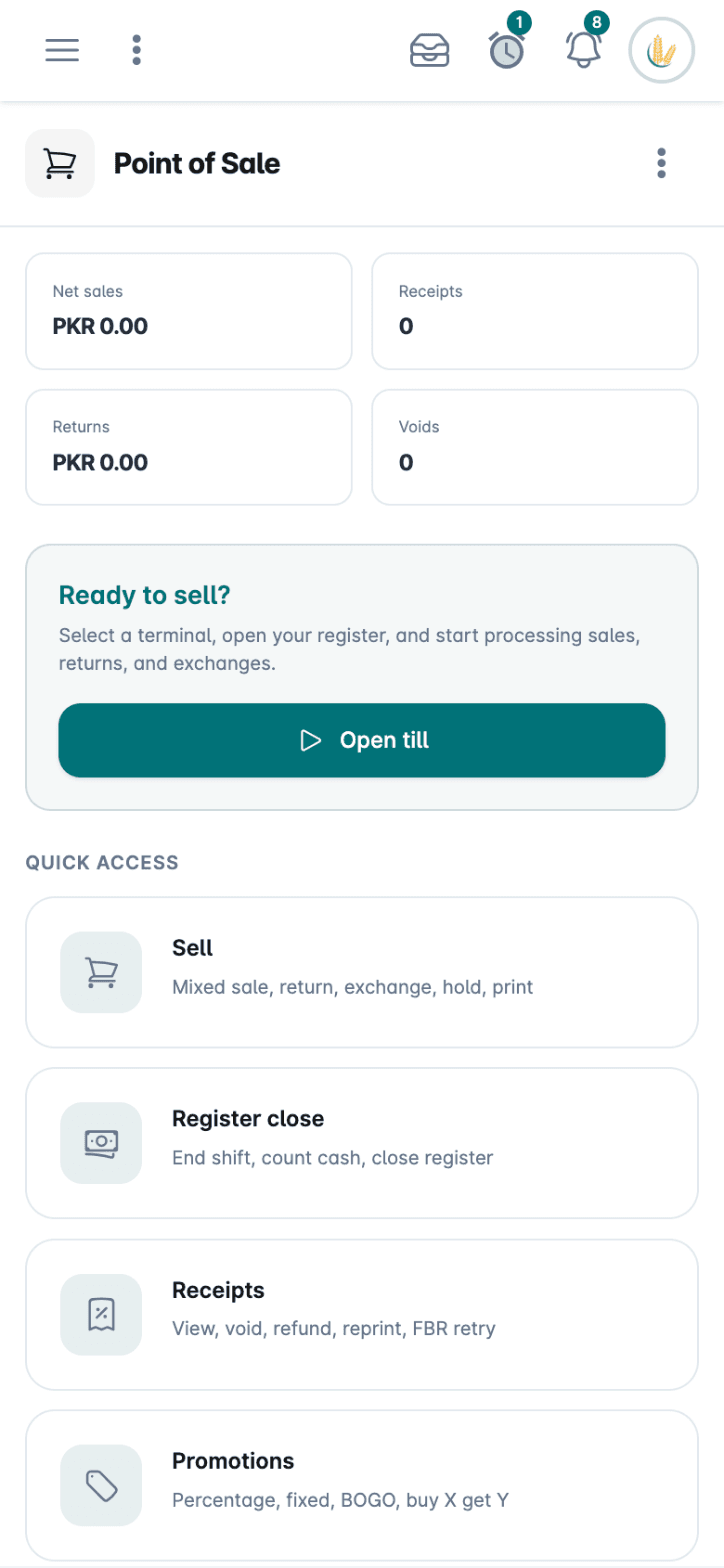
The BizCare ERP point of sale, with net sales, receipts, returns and quick access to selling and register close

Every Module

What each one covers, straight from the ERP. Your business gets the ones it needs.

Finance 4

  • Accounting

    Chart of accounts, vouchers, banking and cheques, with closings and reports.

    What It Covers (5)
    • Chart of accounts and opening balances
    • Received, paid, journal and expense vouchers
    • Bank accounts, cheque books and cheque printing
    • Post-dated cheques and recurring entries
    • Year closing, tax deposits and financial reports
  • Treasury

    Bank limits, loans, letters of credit, guarantees and collateral in one view.

    What It Covers (4)
    • Bank limits and limit revisions
    • Bank loans and letters of credit
    • Bank guarantees and bank charges
    • Collateral and covenants
  • Commission

    Sales teams, territories, targets and commission plans, worked out for you.

    What It Covers (4)
    • Teams, territories and plans
    • Targets and credit sharing
    • Simulate a plan before it goes live
    • Accruals and settlements
  • Digital Invoicing

    Invoices reported to FBR Digital Invoicing, with a test area to try them first.

    What It Covers (3)
    • Customers, products and invoices set up for FBR
    • A sandbox to test invoices before going live
    • Reports of what was sent

Supply Chain 6

  • Inventory

    Products, warehouses and every stock movement, matched to your accounts.

    What It Covers (5)
    • Products, categories and attributes
    • Warehouses, material requests and stock transfers
    • Stock issues, adjustments and opening stock
    • Transfers between your own companies
    • Stock reconciled against the ledger
  • Purchase

    From purchase request to goods received, invoice and payment.

    What It Covers (3)
    • Purchase requests and purchase orders
    • Goods received notes and purchase returns
    • Purchase invoices and supplier payments
  • Procurement

    Seasonal and bulk buying, with contracts, advances and allocations.

    What It Covers (3)
    • Seasons, source locations and ships
    • Contracts and advances
    • Allocations, transfers and releases
  • Logistics

    Your fleet and hired carriers, trips, freight and fuel, with profit per vehicle.

    What It Covers (4)
    • Carriers, drivers, vehicles and routes
    • Freight rates, shipments and trips
    • Fuel, vehicle expenses and workshop
    • Profit and loss for your own fleet
  • Gate

    Every vehicle in and out, with weighbridge weights and gate passes.

    What It Covers (4)
    • A live map of the mill yard
    • First and second weight, with weight variances
    • Appointments, visitors and pending inbound
    • Returnable and non-returnable gate passes
  • Consignment

    Stock held on consignment, with agreements, deposits and returns.

    What It Covers (3)
    • Agreements and deposits
    • Purchases, returns and transfers
    • Adjustments and reports

Sales 4

  • Sales

    Orders, deliveries, invoices and receipts, with returns handled properly.

    What It Covers (3)
    • Sales orders and delivery orders
    • Delivery notes and sales returns
    • Sales invoices and receipts
  • Point of Sale

    A fast till for shops and counters, linked to FBR, that keeps selling offline.

    What It Covers (5)
    • Sale, return and exchange on one bill, hold and print
    • Promotions, gift cards and loyalty
    • Register close with cash counting
    • Offline sales that sync when the internet is back
    • FBR integration on every receipt
  • Service Billing

    Packages, contracts and monthly billing runs, with recovery tracking.

    What It Covers (3)
    • Packages, deals and contracts
    • Billing runs for every customer at once
    • Payment proofs and recovery
  • Hospitality

    Front desk, rooms, rates and housekeeping for hotels and guest houses.

    What It Covers (4)
    • Front desk, reservations and folios
    • Room types, rate plans and a rate calendar
    • Housekeeping and night audit
    • Banquets, food and beverage, and food cost

Production 4

  • Manufacturing

    Formulas, production batches and repacking, with yield and wastage.

    What It Covers (4)
    • Formulas and formula production
    • Production batches and repacking
    • Formula variance, yield and wastage
    • Work in progress and batch cost
  • Quality

    Inspections, lab tests and certificates, with problems tracked to a fix.

    What It Covers (4)
    • Inspection plans, product specs and test methods
    • Laboratories, equipment and calibration
    • Non-conformance reports and corrective actions
    • Quality certificates and customer feedback
  • Operations

    Job requests and work orders, with the cost of each job.

    What It Covers (3)
    • Job requests, jobs and work orders
    • Cost attribution to each job
    • Categories and reports
  • Commodity

    Commodity stock financed by banks, with pledges, holding costs and market value.

    What It Covers (4)
    • Funding, pledges and drawing power
    • Lot balances and bank stock statements
    • Storage, carrying and holding costs
    • Market prices and net realisable value

People 3

  • HR and Payroll

    Employees, attendance, leave and payroll, with tax and statutory deductions.

    What It Covers (4)
    • Departments, designations and employees
    • Attendance, shifts and leave
    • Payroll with income tax, provident fund and EOBI
    • Loans, expense claims, hiring and exits
  • Employee Self Service

    Staff apply for leave and see payslips and attendance on their own login.

    What It Covers (3)
    • Apply for leave and see the balance
    • Payslips, attendance and commission
    • Documents, loans and shift roster
  • Checklists

    Daily checklists from templates, so routine work is never missed.

    What It Covers (3)
    • Templates and categories
    • My checklists for each person
    • Reports on what was done

Platform 1

  • AI Agents

    BizAI agents that work inside your ERP, with plans and usage.

    What It Covers (2)
    • Agents set up for your company
    • Plans and usage in one place

Included in Every Setup

However many modules your business switches on, these come with them.

On Any Screen

BizCare ERP runs in the browser on a computer, tablet or phone, and installs like an app. Check the day from anywhere.
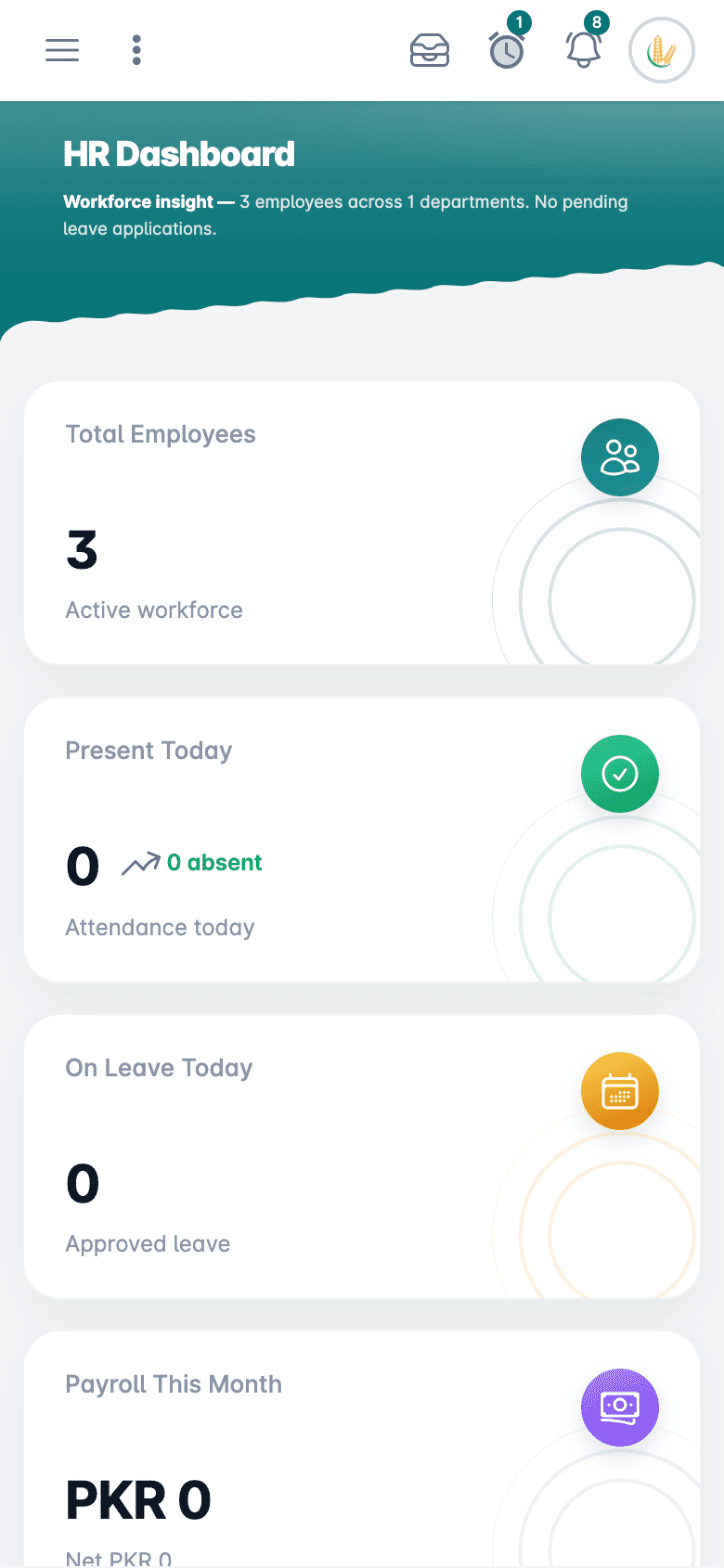
The BizCare ERP HR dashboard on a phone, with employees, attendance and leave
The BizCare ERP point of sale on a phone, with net sales, receipts and Open Till

Nothing Posts Without Approval

Set who approves what. Requests wait in an approval inbox, and a posted document can only change through an edit request.

Every Dashboard Explains Itself

Each dashboard opens with a plain sentence on how things stand, and owners pin their own figures to My Home.

Ready for FBR

The point of sale reports receipts to FBR, and Digital Invoicing sends your invoices, with a sandbox to test first.

Many Companies, Many Branches

Run several companies and branches from one login, with transfers between your own companies.

Banking Built In

Cheque books, cheque printing, post-dated cheques and bank reconciliation, right inside Accounting.

Your Data Under Control

Roles and permissions for every user, with activity logs, session management and a lock screen.

Set Up for Your Industry

The modules and screens each kind of business starts with.

Good to Know

Is BizCare ERP online or installed on our computers?

It runs in the browser at erp.bizcare.pk, on a computer, tablet or phone, and can be installed like an app.

How much does it cost?

It depends on the modules your business needs. Book a demo or message us on WhatsApp, and we will give you the price for your setup.

Do we pay for modules we do not use?

We set up the modules your business needs, and you can add more later as you grow.

Can it handle more than one company or branch?

Yes. Several companies and branches can run from one login, with transfers between your own companies.

Does it work with FBR?

The point of sale reports receipts to FBR, and the Digital Invoicing module sends invoices to FBR, with a sandbox to test first.

Who sets it up and trains our staff?

Our own team. We move your records in and train your staff at your place, then stay on call by phone and WhatsApp.

How do I see it working?

Book a demo or message us on WhatsApp, and we will show you BizCare ERP set up like your business.

See BizCare ERP Working for Your Business

Book a short demo. We show you the software that fits, on a call or at your place.

WhatsApp Book a Demo